Datacenter HTTP proxies on IPv4 from IPrazon. Maximum compatibility with browsers, parsers and scripts. The package includes HTTP, HTTPS and SOCKS5, rotation, unlimited traffic, 200+ countries. Free trial up to 2 hours.
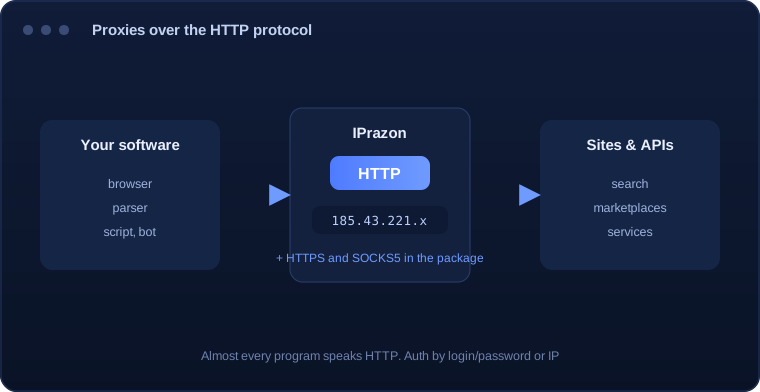
An HTTP proxy is an intermediate server that takes your program requests over the HTTP protocol and forwards them to a site from its own IP. The site sees the proxy address instead of yours, so load can be spread across many IPs.
Almost every program speaks HTTP: browsers, parsers, scripts, bots, antidetect browsers. It is the most compatible connection format, and an HTTP proxy works where another protocol may need extra setup.
At IPrazon an HTTP proxy is a datacenter IPv4 pool. Every package includes three protocols at once (HTTP, HTTPS and SOCKS5), so you switch per task with no surcharge or plan change.
Setup takes a couple of minutes in any program that supports proxies:
For IP authorization, add your address in the dashboard, then login and password are not needed.
| Parameter | Value |
|---|---|
| Protocol | HTTP and HTTPS, both in the package, SOCKS5 is included too |
| Output format | IP:PORT is the main one. IP:PORT:LOGIN:PASS when a login is needed |
| Where to enter | The proxy field in a browser, scraper or script: host and port |
| Pool type | Private datacenter IPv4, clients only |
| Threads | Up to 3000 depending on plan |
| Traffic | Unlimited on every plan |
| Addresses live | 12,000 IPs, rotation runs automatically |
| Connection | Bind your IP in the dashboard for the IP:PORT format |
| Test | Free test up to 2 hours |
HTTP fits software that only speaks this protocol, and for everything else pick SOCKS5.
When software is set to an HTTP proxy, it sends the request to the proxy, and writes the full destination into the request line. The middleman opens its own connection to the site, takes the response and hands it back. To the site the source is the proxy address.
Because an HTTP proxy parses the request, it sees the headers and can add to them. This is exactly where anonymity levels come from: the proxy is able to attach service fields that reveal a proxy is in the path, and it is equally able to attach nothing at all.
Hence the classic setup mistake. If you enter the proxy address but leave the connection type at its default, the request goes out directly and the field is decorative. What you check is the actual source address on any IP test service.
The HTTP proxy stays the most compatible option: the field exists in almost any program that supports proxies at all, and setup comes down to a host and a port. Where the software is old or narrowly specialised, this type is often the only one on offer.
It also suits work that is purely page based: collecting search results, checking positions, monitoring prices, walking catalogues. All of that is ordinary web traffic and the lower layers add nothing.
The boundary shows up when a program opens something other than a web connection: a messenger, a mail client, an arbitrary socket. An HTTP proxy does not understand that traffic, and those cases call for SOCKS5, which carries the connection whole.
Every request carries a set of service fields, and some of them can be added by the proxy itself. Historically that is done with headers that carry the original client address and a marker showing the connection passed through an intermediate server.
The presence or absence of those fields is exactly what defines the anonymity level of an HTTP proxy. If the original address is inserted, the site sees both the proxy and you. If only the proxy marker is added, your address is hidden but the use of a proxy is obvious. If nothing is added, the request looks direct.
The remaining headers come from your software: the user-agent string, accepted languages, encodings, connection type. Platforms read those too, and it is their combination that most often glues requests into a single profile even when the addresses differ.
What actually leaves your machine can be checked on any service that echoes the headers it received. Whatever it prints, the target platform sees as well, so that check replaces guesswork about how anonymous the setup really is.
Classic HTTP proxies were built partly for caching: the proxy stored a response and served it to later clients, saving bandwidth. For corporate networks that was the main point.
For data collection the behaviour is harmful. If the proxy returns a stored copy, you get a stored snapshot of unknown age. Prices, positions and stock levels come back stale, and the error is invisible: the response arrived correctly, it just was not fresh.
So proxies meant for scraping do not cache: every request goes to the platform anew. That costs a little more time, but the data arrives current, which is the entire point of collecting it.
It follows that repeating a request for the same page through an HTTP proxy creates real load on the target. Deduplicating URLs and caching results is worth doing on your own side, inside the scraper,.
HTTP proxies are used where broad compatibility and stability matter:
The datacenter pool is built for technical work: scraping, monitoring and API automation. Datacenter HTTP proxies are for technical tasks.
The pool runs on our own hardware: stable fast addresses, low latency, uptime without drops. Rotation delivers new IPs on schedule or on demand.
Traffic is unlimited on all packages, request volume is not capped. The pool holds 12,000 IPv4 addresses across 200+ countries, up to 3000 threads on the top plan.
HTTP, HTTPS and SOCKS5 are in every package, with login/password or IP authorization. Switch the protocol per program without changing plan.
I use HTTP proxies for parsing and monitoring. Compatible with all my software, I set rotation myself. Stable.
Handy that HTTP, HTTPS and SOCKS5 come in the package, so I switch per task with no surcharge. Ran the 2-hour trial before paying.
I run API scripts through HTTP proxies. Unlimited traffic is the key, support replies fast on Telegram.
Before you pay we offer a free trial up to 2 hours. Connect HTTP proxies to your software and check compatibility and speed.
An HTTP proxy works at the HTTP request level and is highly compatible with browsers and software. SOCKS5 is more universal for any traffic. Both protocols are in the package, switch per task.
No. HTTP, HTTPS and SOCKS5 are already included in every package with no surcharge or plan change.
Datacenter IPv4 from our own pool of 12,000 addresses across 200+ countries. The addresses are private and not sold one by one.
No, traffic is unlimited on all packages, request volume is not capped.
Both methods are available: by login/password or by binding your IP. Configured in the dashboard.
For technical tasks and parsing, they do. The datacenter pool is built for technical work: scraping, monitoring and automation.
A free trial is available up to 2 hours. Connect HTTP proxies to your software and check before you pay.